Contract review with PDF sources
Your contract, mapped
Every answer, linked to your PDF.
Upload a contract. Get scenario paths, key dates, and obligations — click any item to jump to the highlighted clause.
3 free analyses. No card required.
A wall of text and guesswork
A 40-page PDF, Ctrl+F, a spreadsheet of dates, and a mental model of “what happens if…” — pieced together clause by clause.
Summaries you can verify in the PDF
Upload once, review flowcharts and key dates, then jump to the exact page with the quoted clause highlighted — confirm it is in the document, not a hallucination.
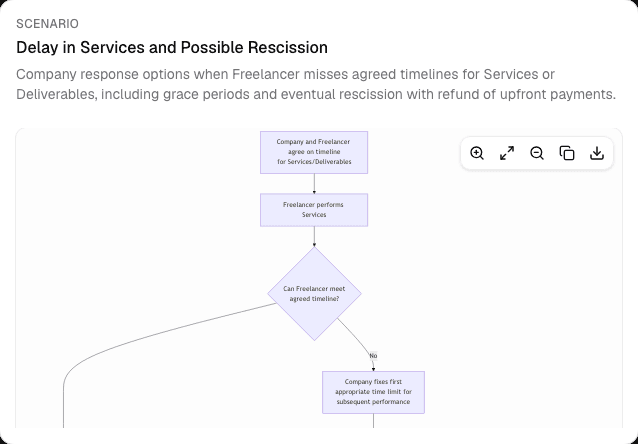
Decision paths
Follow what happens when
Dense contracts become branching scenario flowcharts — termination, acceptance, IP, and more — so you can trace consequences instead of guessing.
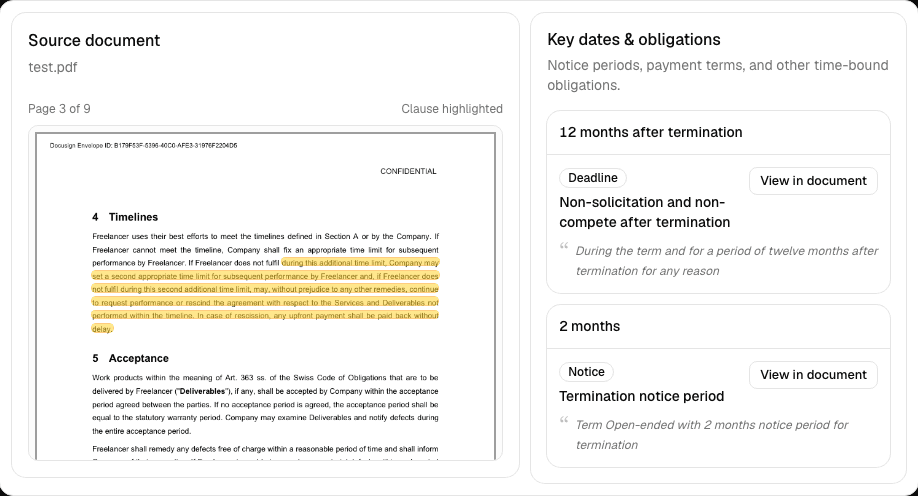
Proof in your PDF
Every answer, linked to your PDF
Notice periods, renewals, and obligations extracted from your contract — click any item to open the PDF with the exact clause highlighted. Confirm it is in the document, not an AI hallucination.
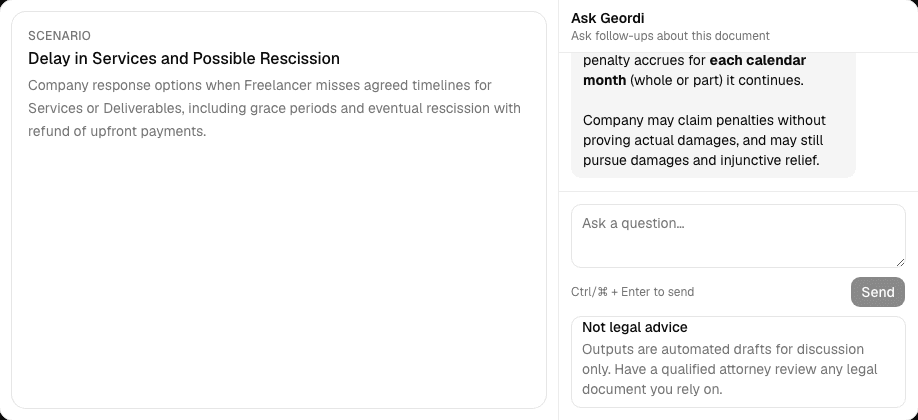
Ask Geordi
Chat with your document
Ask follow-ups about scenarios, deadlines, and obligations. Geordi answers using your analysis and the uploaded text — grounded in the same document you are reviewing.
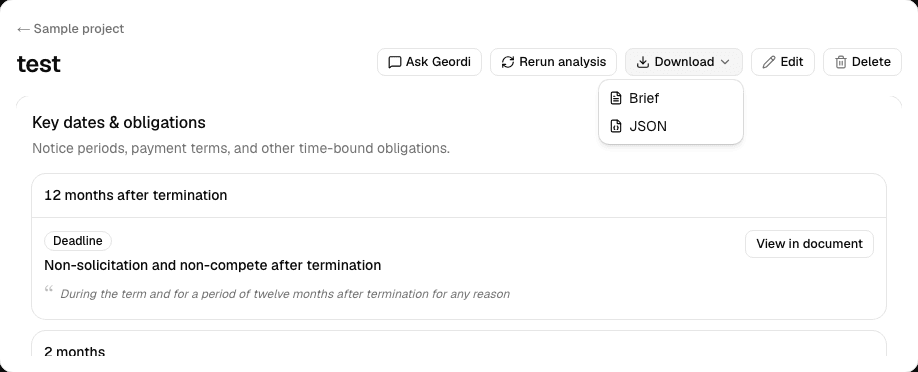
Export & share
Take your analysis with you
Download a Markdown brief for colleagues or counsel, or export the full analysis as JSON for your records, integrations, or audit trail.
How it works
From upload to clarity in three steps.
- 1
Upload your document
Drop a .pdf or .txt legal document — contracts, agreements, reports.
- 2
Review with source links
Open flowcharts, key dates, and obligations — each item points to the page and quote in your PDF.
- 3
Save, export, or ask Geordi
Store analyses in projects, download a Markdown brief, or ask Geordi about the document.
Built for legal teams who review contracts, not case libraries. EU-hosted infrastructure — Neon Frankfurt, Cloudflare R2 EU, Azure OpenAI EU, and self-hosted cookieless analytics (Falkenstein) in production. EU-hosted analysis via Azure OpenAI (Sweden Central) on credit packs; Pro (BYOK) uses your own LLM provider — see pricing. Advisory only — not legal advice. Privacy policy.
Frequently asked questions
- What documents does Geordi Scan support?
- PDF and plain-text (.txt) legal documents — contracts, agreements, policies, and similar reports.
- How do I know the output is not made up?
- Every scenario, date, and obligation is linked to a page number and quoted passage in your uploaded PDF. Open the source panel, read the highlight, and confirm it matches — you are checking the document, not trusting a summary alone.
- Is this case law research?
- No. Geordi Scan visualizes decision paths within a single document you upload. It is different from citation graph tools that map relationships across many cases.
- Is my data secure?
- Production data is stored in EU regions (Neon Frankfurt, Cloudflare R2 EU, Azure OpenAI EU, and self-hosted cookieless analytics (Falkenstein) in production.). Credit packs use EU-hosted analysis via Azure OpenAI (Sweden Central). You can export or delete your account and associated data at any time.
- Is there a free trial?
- Yes. Every account gets 3 free analyses — no credit card. Try the full analysis pipeline on your contract, then buy credit packs or a Pro license when you're ready.
- What's the difference between credits and Pro (BYOK)?
- Credit packs include analysis on our EU-hosted Azure OpenAI stack — full EU inference path. Pro (BYOK) is an annual software license: you connect your own OpenAI API key and pay OpenAI directly for usage. Document text is sent to your configured LLM provider. You are responsible for that provider's data residency and terms.
- Can I export results?
- Yes. Download an analysis brief as Markdown, including scenarios, key dates, and consistency notes.
- Does Geordi Scan replace a lawyer?
- No. Geordi Scan provides visualization and advisory consistency notes only. It does not provide legal advice.